
Any place, from one sentence
AI Background Generator for Your Photos
Describe a place, or pick one of 12 scenes, and AI generates it behind the person or product in your photo, with matching light. First AI edit free, then $0.50.
Describe the new background
First AI edit free · then $0.50 an edit · no subscription
Upload a photo to start, or try the sample portrait.
Example: "a sunny beach at golden hour"
Real result · drag to compare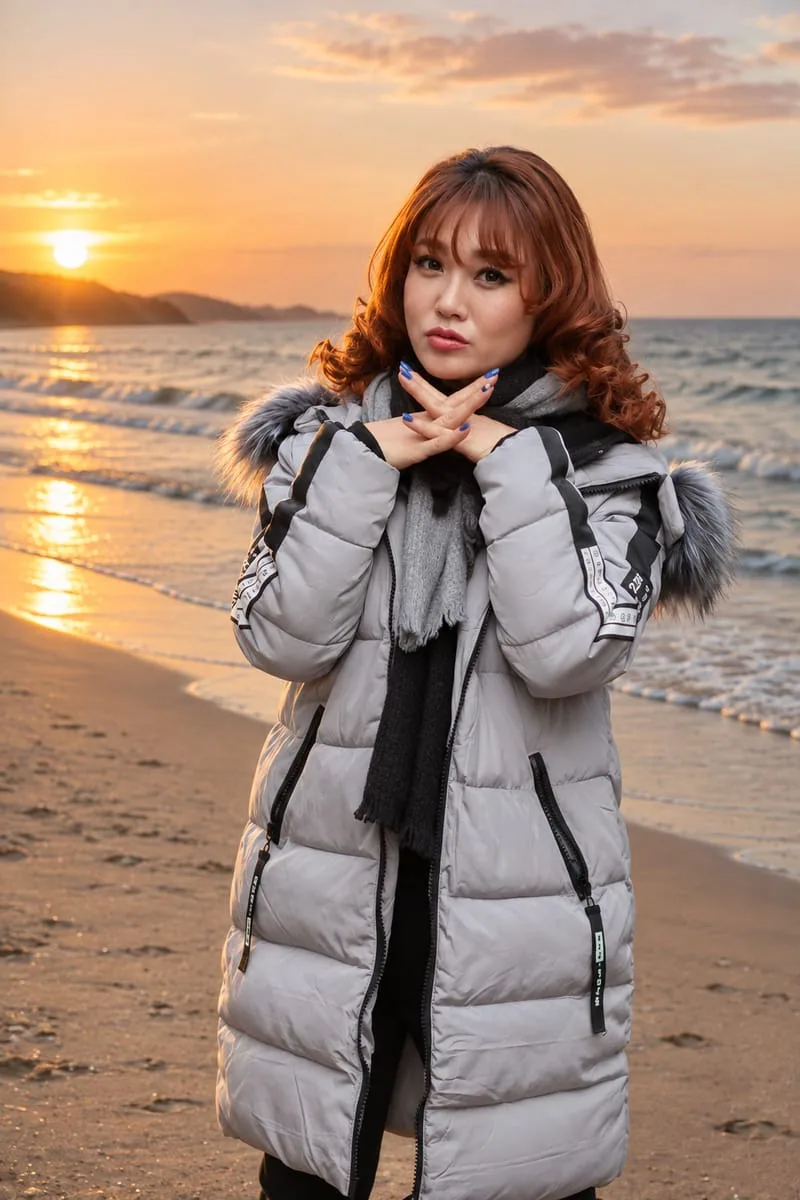
Real results, not mock-ups
AI background generator examples: before and after
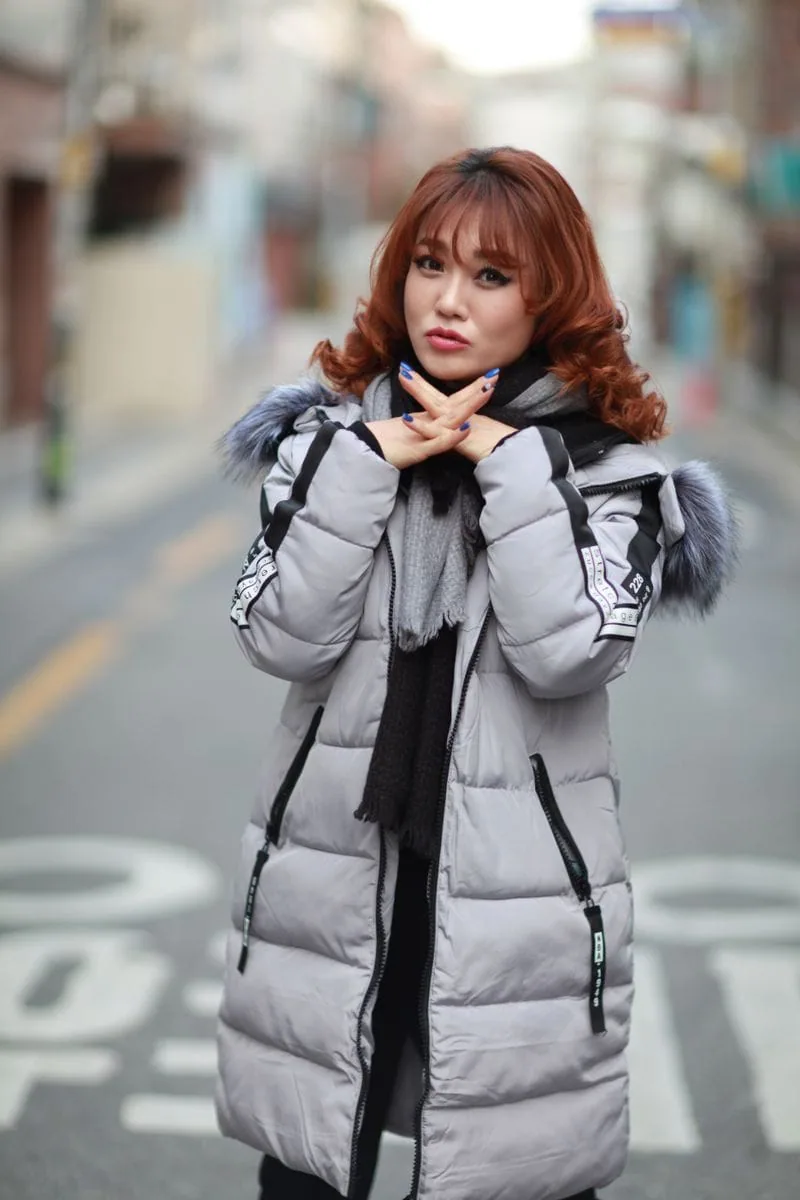
Drag across each picture to compare. Two portraits, one from a sentence and one from a scene, and a product on the Marble tabletop scene.
- BeforeAfter
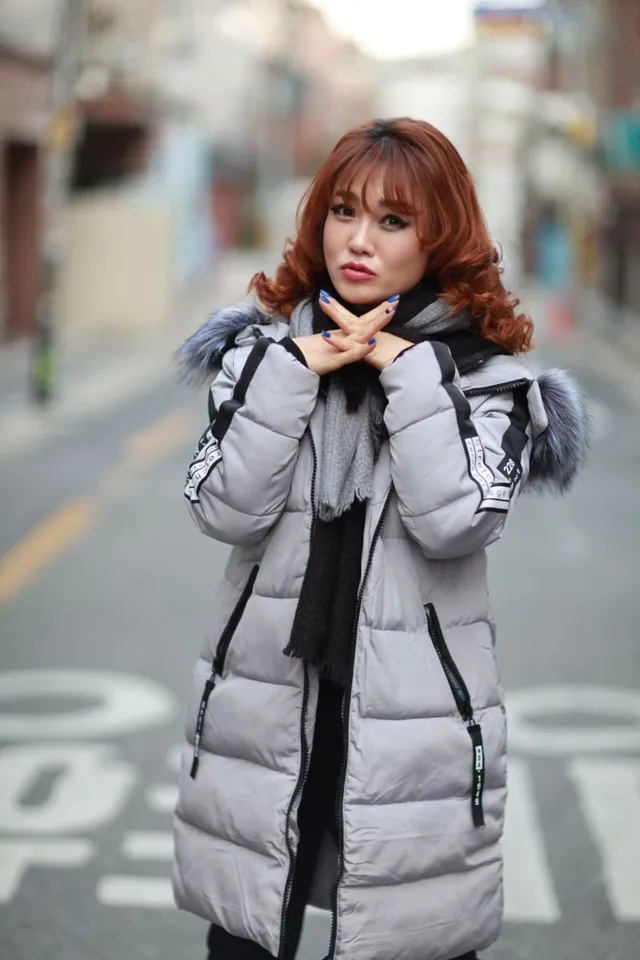
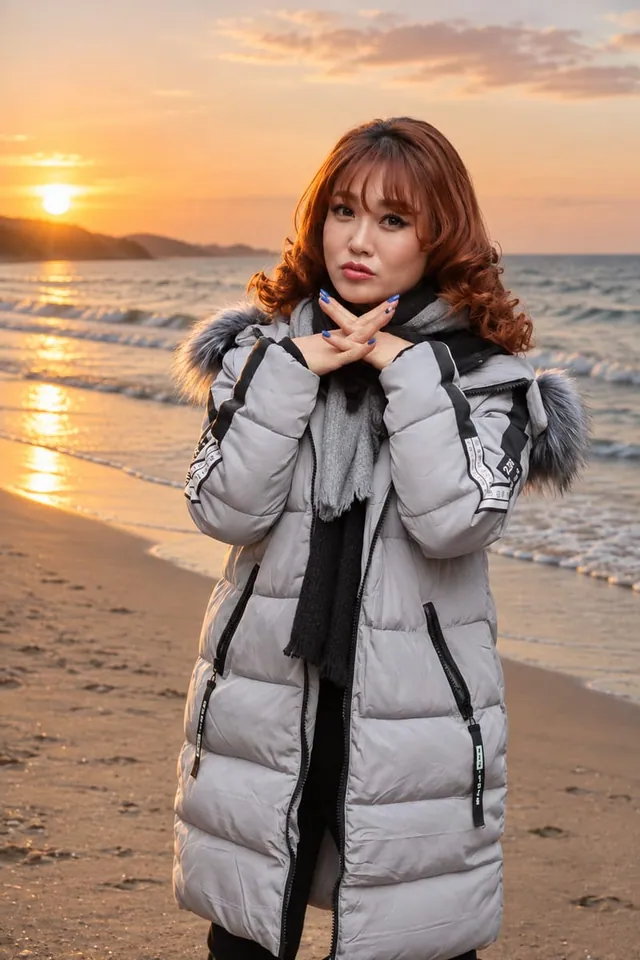
From a sentence: a beach at golden hour
Typed "a sunny beach at golden hour" in Describe: the city street became a beach in warm evening light, and the woman, her coat and her pose stayed the same.
- BeforeAfter
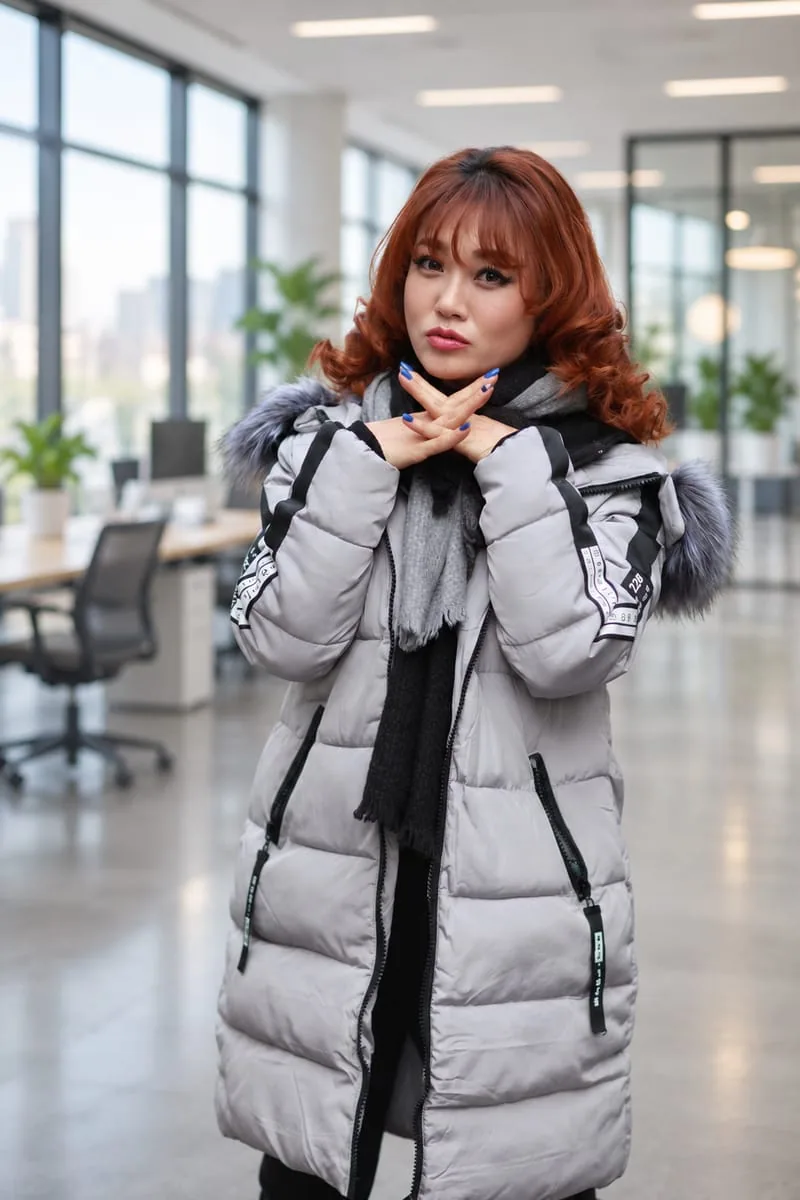
From a scene: a modern office
Picked the Modern office scene: bright windows, softly out of focus behind her, like a portrait taken at work. No typing needed.
- BeforeAfter
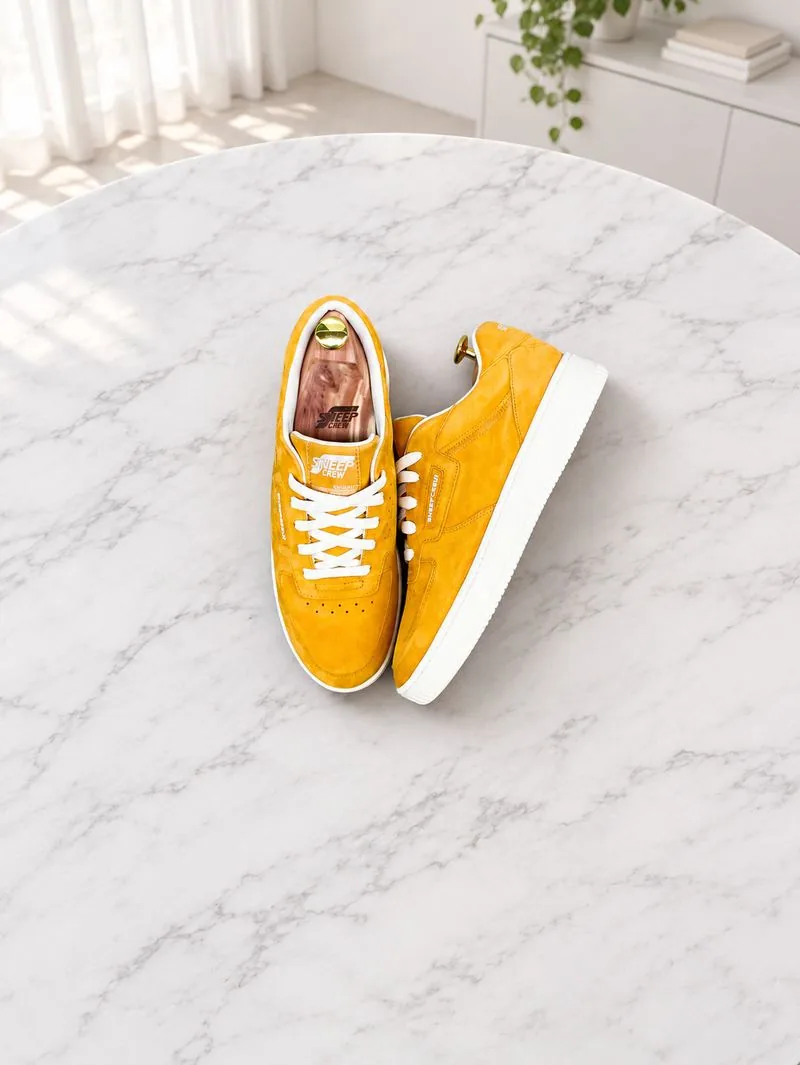
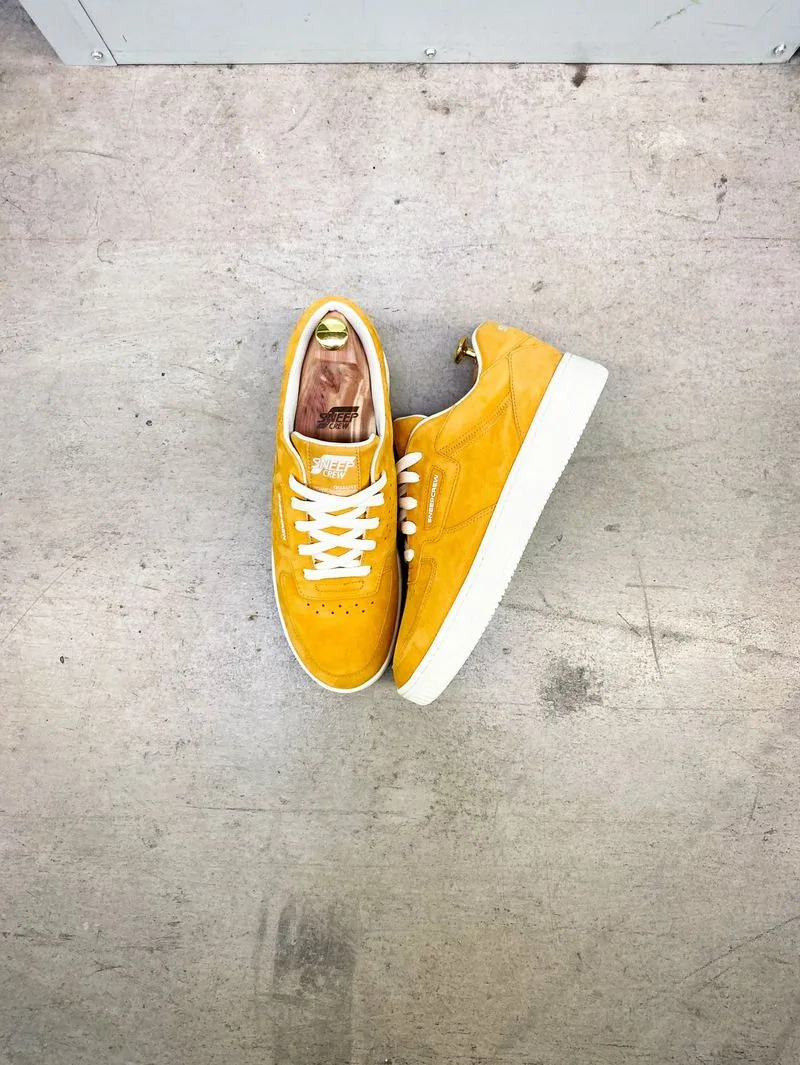
A product on the Marble tabletop scene
Scenes work on products too. The same sneakers photographed on a floor, put on the Marble tabletop scene: a clean white marble top in soft daylight, the look of a finished product photo.
The portraits and the product photo are stock photos from Pexels: "Portrait of a Woman in a City" by 거열 박 (pexels.com/@geoyul) and "A Pair of Beautiful Sneakers on the Floor" by Sneep Crew (pexels.com/@sneepcrew). All three results are single, unretouched AI results, scaled to each photo's size for the slider.
Usually under a minute
How to use the AI background generator in four steps
- 01
Upload the photo
A JPG, PNG or WebP up to 10 MB: a portrait, a selfie, a pet or a product. A subject that stands out clearly from what is behind it gives the cleanest edges.
- 02
Describe the background, or pick a scene
In Describe, write the place in up to 300 characters, such as "a cozy bookshop with warm lights", or tap one of the ideas. In Scenes, pick one of 12 ready-made backgrounds.
- 03
Press Try free
Sign in when you press it, and your photo and your description wait for you. Your first AI edit is free; after that an edit is 125 credits, which is $0.50.
- 04
Compare and download
Drag across the result to compare it with your photo, then download it. Every AI edit stays in My edits, so you can come back to it or try another background.
- Photo studio
- Marble tabletop
- Beach
- Modern office
- City street
- Forest
- Mountains
- Living room
- Café
- City at night
- Sunset sky
- Christmas
No prompt needed
The 12 scenes in the AI background generator
Scenes are backgrounds written for you: pick one and the generator builds it behind your subject. Each one tells the model the place and its light.
- 01
Photo studio and Marble tabletop
A seamless soft gray studio backdrop with even lighting, or a white marble tabletop in soft daylight, as in a product photo.
- 02
Modern office and Living room
A bright office with large windows, softly out of focus, or a cozy, tidy living room in warm natural light.
- 03
Café and City street
A warm café with wooden tables, or a lively street in the daytime, both softly out of focus behind the subject.
- 04
City at night
Glowing city lights out of focus behind the subject, the bokeh look of an evening portrait.
- 05
Beach, Forest and Mountains
A tropical beach with turquoise water, a green forest with sunlight through the trees, or a wide mountain view under a blue sky.
- 06
Sunset sky and Christmas
A soft orange and pink sunset sky, or a festive room with a decorated tree and warm string lights.
One photo, many places
What people make with an AI background generator
A new background used to mean a new shoot: a location, the right light and another session. These are the photos people generate a background for instead.
- 01
A portrait somewhere better
Move a selfie from a plain wall or a messy room to a beach, a mountain view or a city at night, with the light matched to the face.
- 02
A professional photo from a casual one
Put a portrait in a bright modern office or a photo studio for a team page, a speaker bio or a LinkedIn banner.
- 03
A product in a styled setting
Set a product shot on a marble tabletop, in a café or in a living room, so the listing shows it where it will be used.
- 04
A seasonal card or post
Put a family or pet photo in front of a Christmas tree, a sunset sky or a snowy village for a card, an invitation or a post.
- 05
A thumbnail or a slide that stands out
Generate a bold place behind a person for a video thumbnail, a cover image or a presentation slide.
- 06
Just a plain color instead
For a CV, a passport-style photo or a shop listing, a solid white or colored background is often better than a scene.
Write it like a photographer
Tips for a generated background that looks real
- 01
Name the light, not only the place
"A beach at golden hour" or "a café with warm lights" tells the model which light to match on the subject, so the photo looks taken there.
- 02
Keep the angle in mind
A photo taken from below suits a sky or tall buildings; one taken at eye level suits a room or a street. A background that fits the camera angle looks more real.
- 03
Ask for a soft focus behind people
Adding "softly out of focus" gives the look of a portrait lens and hides small mismatches between the subject and the new place.
- 04
Check the face, hands and edges
AI image models can change a small detail. Compare with the slider, look closely at the face, hands and hair, and run the edit again if something is off.
One-time, no subscription
AI background generator price: first edit free, then $0.50
Every account gets one free AI edit. After that, each generated background is 125 credits, which is $0.50, and a one-time $5 purchase adds 1,250 credits: ten edits.
- First AI edit free for every account, no card needed
- 125 credits ($0.50) for each AI edit after that
- $5 one-time for 1,250 credits: ten edits, no subscription
- Credits come back when an edit fails
- Transparent PNGs of people: free, in your browser, no sign-in
AI background generator: questions and answers
What does the AI background generator do?
It replaces what is behind the subject of your photo with a new place: one you describe in a sentence, or one of 12 ready-made scenes. The model keeps the person, pet or product as it is (face, pose, hair, clothes, shape and colors) and matches the new background's light, shadows and perspective to it.
Is the AI background generator free?
Your first AI edit is free: sign in when you press Try free, no card needed. After that each AI edit costs 125 credits ($0.50), bought as a one-time $5 pack of ten edits, with no subscription. If the site's free edits for the day are used up, you can still edit with credits.
Can the AI background generator make a background without a photo?
No. It is made to generate a background behind the subject of a photo you upload, so the person or product stays in the picture. It does not make wallpapers or empty scenes on their own.
What should I write in the AI background generator?
Name the place and its light in a short sentence of up to 300 characters, such as "a snowy mountain village" or "a neon-lit Tokyo street at night". Say "softly out of focus" if you want the look of a portrait lens. The box also offers four ideas you can tap and edit.
Which AI model generates the background?
gpt-image-2, the image model from OpenAI, through our AI gateway. Every edit asks it to keep the subject exactly as it is and in the same place in the frame, and to blend the new background into one real-looking photo with clean edges and no halo.
Does the AI background generator work for products and pets?
Yes. Describe and Scenes work on people, pets and products alike; the Marble tabletop and Photo studio scenes are made for product photos. For a listing that needs plain white, Color mode is the better fit.
Can I get a transparent background instead?
For photos of people, yes: Remove BG cuts the person out in your browser and saves a transparent PNG, free and with no sign-in. It is made for portraits; for a product or a pet, use a white or solid color background in Color mode.
How long does the AI background generator take?
An AI edit usually takes under a minute. You do not have to keep the page open: the result appears when it is ready and is saved in My edits.
Does the result keep the framing of my photo?
Every edit asks the model to keep the subject at the same size and in the same place in the frame, and to keep the framing of the photo, so you can drag across the result and compare it with the original. AI image models can still shift a small detail, so check before you use it.
What if I do not like the generated background?
Try again with a different description or scene; describing the light as well as the place helps most. If an edit fails, its credits come back, and a failed free edit can be tried again. An edit that finishes but is not what you wanted still counts.
Are my photos private?
Photos you upload for an AI edit and their results are stored at long, unguessable addresses and are not listed anywhere, and we do not use them to train AI models. Write to contact@photo-background-changer.com and we delete them within 30 days.
Same studio, other jobs
More ways to change the background of a photo
- Photo background changerEvery mode in one place: describe, scenes, color, edit and the free transparent PNG.
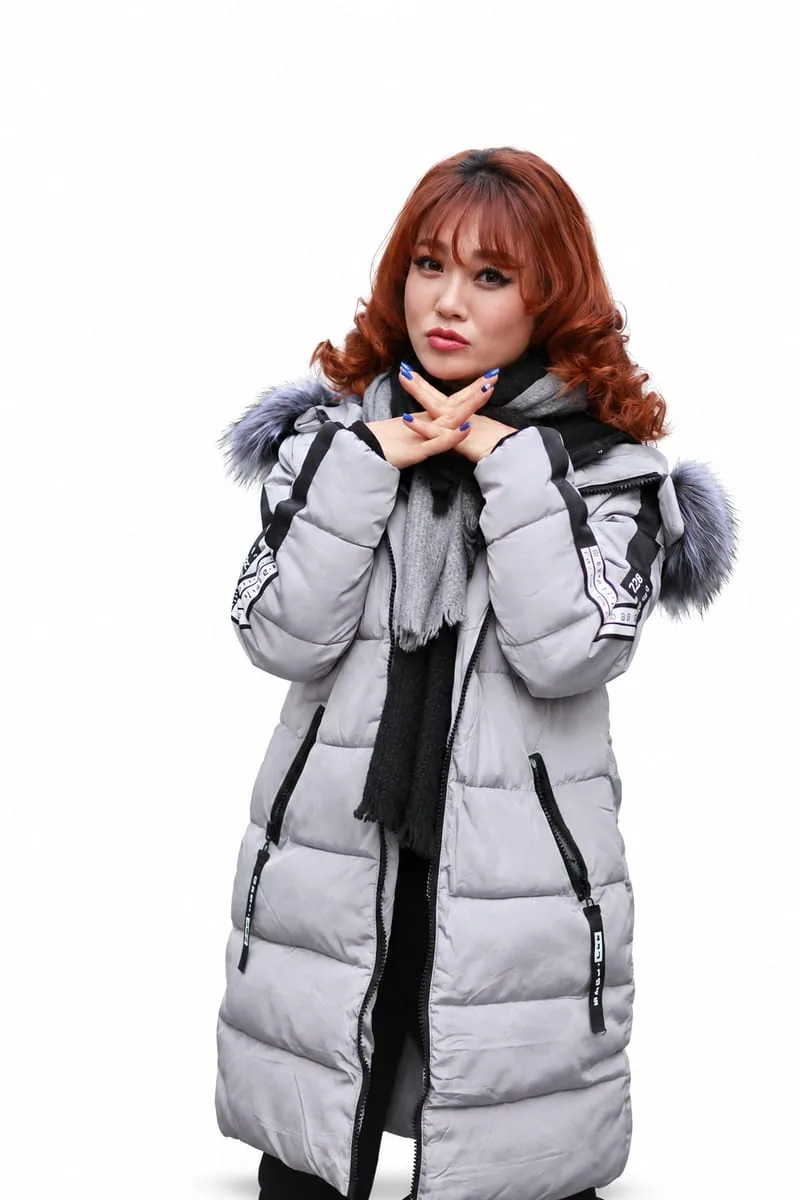 Make background whitePut a portrait or a product on pure white for a profile, a CV or a listing.
 Transparent background makerCut a person out of a photo to a transparent PNG, free and in your browser.
 Edit photo backgroundKeep the background you have but blur it, brighten it or clear people out of it.